Switch & migrate

Bring your designs with you.

Moving CAD tools is mostly about your archive. This guide shows what to export from your current system, what comes across into LocalCAD, and what doesn't yet.

Moving your designs to LocalCAD Export from your current CAD system as STEP (AP203, AP214 or AP242), IGES, STL, OBJ or 3MF. LocalCAD imports the geometry with the assembly structure, names and placements, and keeps every import as a version on your disk. Your current CAD A supplier's files Scans & 3D prints 2D drawings STEP AP203 · 214 · 242 IGES · BREP STL · OBJ · 3MF · PLY DXF · SVG → sketch LocalCAD ✓ assembly structure ✓ names & placements ✓ shared parts as instances ✓ direct edits on imports .f3d/.f3z: read-only inspector today; timeline import in development

The migration in five steps

  1. Take stock

    List the designs you still edit, the ones you only reference, and the ones you only need to keep. Only the first group needs editable features.

  2. Export as STEP

    From your current tool, export assemblies as STEP AP214 or AP242 so names, colours and structure come with them. Use STL or 3MF only for meshes and prints.

  3. Import into LocalCAD

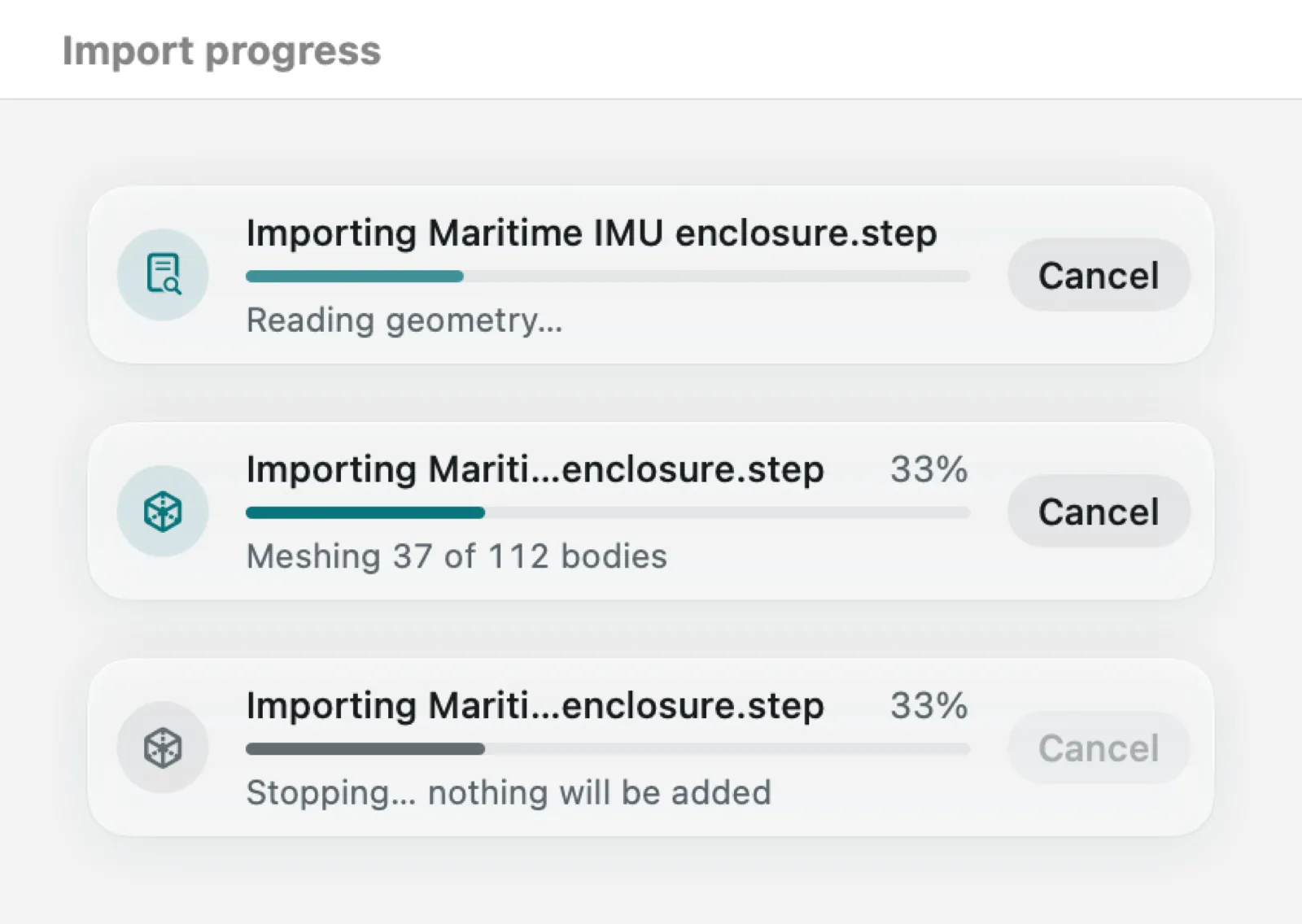
    Open or drag the files in. Large imports show progress and can be stopped; nothing is half-added. Assemblies keep their tree, names and placements, and shared parts stay instances.

  4. Edit directly or rebuild

    Imported bodies have no feature history, but direct edits work on them: press-pull, move face, delete face. For parts you will change often, sketch over them and rebuild the key features parametrically.

  5. Keep your archive as files

    Every import is saved as a version in your local library. Pack a whole project with .lcpack to archive or hand it on.

Three import progress cards: reading geometry, meshing 37 of 112 bodies at 33 percent, and stopping with nothing added.
Import progress: a large STEP file can be stopped cleanly.

Tested on a real archive

349 of 354 real designs opened with their structure.

We test the import path against a real archive of 354 STEP exports from production work, with networking blocked and the files opened read-only. 349 open with their full assembly structure: 119 assemblies with 1,523 occurrences whose count, depth, names and placement match the source. The other 5 are exports that contain no geometry, and LocalCAD reports them as empty.

STEP import

306-body assembly in 7.2 s

Apple M1 Max, Release build

Largest single files

25–28 s

previously over 10 minutes in development builds

Insert anywhere

All 354 designs into one assembly

as referenced components (v1 exit criterion 3)

Coming from a particular tool

From Autodesk Fusion

Export each design or the whole project as STEP. LocalCAD opens your .f3d and .f3z files today in a read-only inspector, so you can see what's inside.

Import with the timeline is In development: an exporter add-in, run once inside Fusion, writes each design to an open exchange file, and LocalCAD rebuilds it as an editable timeline with parameters, sketches, features and joints. On a real archive of 360 Fusion designs the add-in exported 359; LocalCAD imported 357 and rebuilt 61.8 % of their 5,200 features as editable LocalCAD features. Where a feature can't be rebuilt, the body keeps Fusion's own geometry, so the shape stays right: 310 of 352 designs match Fusion's STEP export as a whole. This route is not in the app yet.

The Fusion concepts you know map closely: sketches, timeline, parameters, Form bodies, sheet-metal rules, joints and configurations all have LocalCAD equivalents, under LocalCAD's own names.

From SOLIDWORKS

Save parts and assemblies as STEP AP214 or AP242. There is no native SOLIDWORKS file import and none is planned (it is a proprietary format). Configurations come across as separate exported variants; rebuild the table in LocalCAD where you need it.

From Onshape

Export Part Studios and Assemblies as STEP. Because Onshape keeps designs in the cloud, this export is also the moment your designs become files you hold yourself.

From FreeCAD

Export bodies and assemblies as STEP. FreeCAD and LocalCAD share the OpenCASCADE geometry kernel, so B-rep exchange through STEP is usually clean.

What carries over

  • Exact B-rep geometry (solids and surfaces)
  • Assembly tree, component names and placements
  • Colours and names (STEP AP214/242)
  • Meshes from STL, OBJ, 3MF and PLY
  • 2D geometry from DXF and SVG into sketches

What does not (yet)

  • Feature history from other tools (Fusion timeline import in development)
  • Joints and motion: re-create them; it takes minutes per assembly
  • Drawings as editable drawings: make new associative drawings from the imported model in LocalCAD; your exported DXF drawings import as reference sheets
  • Parasolid X_T and DWG: not supported

Try it with your own archive.

Join the waitlist and test the first build against the files you actually use.