Nothing to sign up for
No student accounts, no email addresses, no parental consent forms for a CAD login. Students open the app and model.
Education
Teach real parametric CAD on lab machines without student sign-ups, cloud storage or data leaving the classroom. Students keep their work as files they can take with them.
Education pricing is proposed for launch: free for students, teachers, schools, universities, robotics teams and makerspaces.
No student accounts, no email addresses, no parental consent forms for a CAD login. Students open the app and model.
The app has no telemetry and uses no network APIs, so there is no data to collect, process or protect, which makes privacy reviews for minors simple.
School filtering and locked-down lab networks don't matter: LocalCAD never needs a connection.
Designs are .lcad files with their full version history. Hand in a file, keep a portfolio, take it home on a USB stick.
Every save is a version. Compare versions to see a student's process, not just the result.
Not a cut-down edition: sketching, solids, surfaces, sheet metal, assemblies with joints and motion.
In the classroom
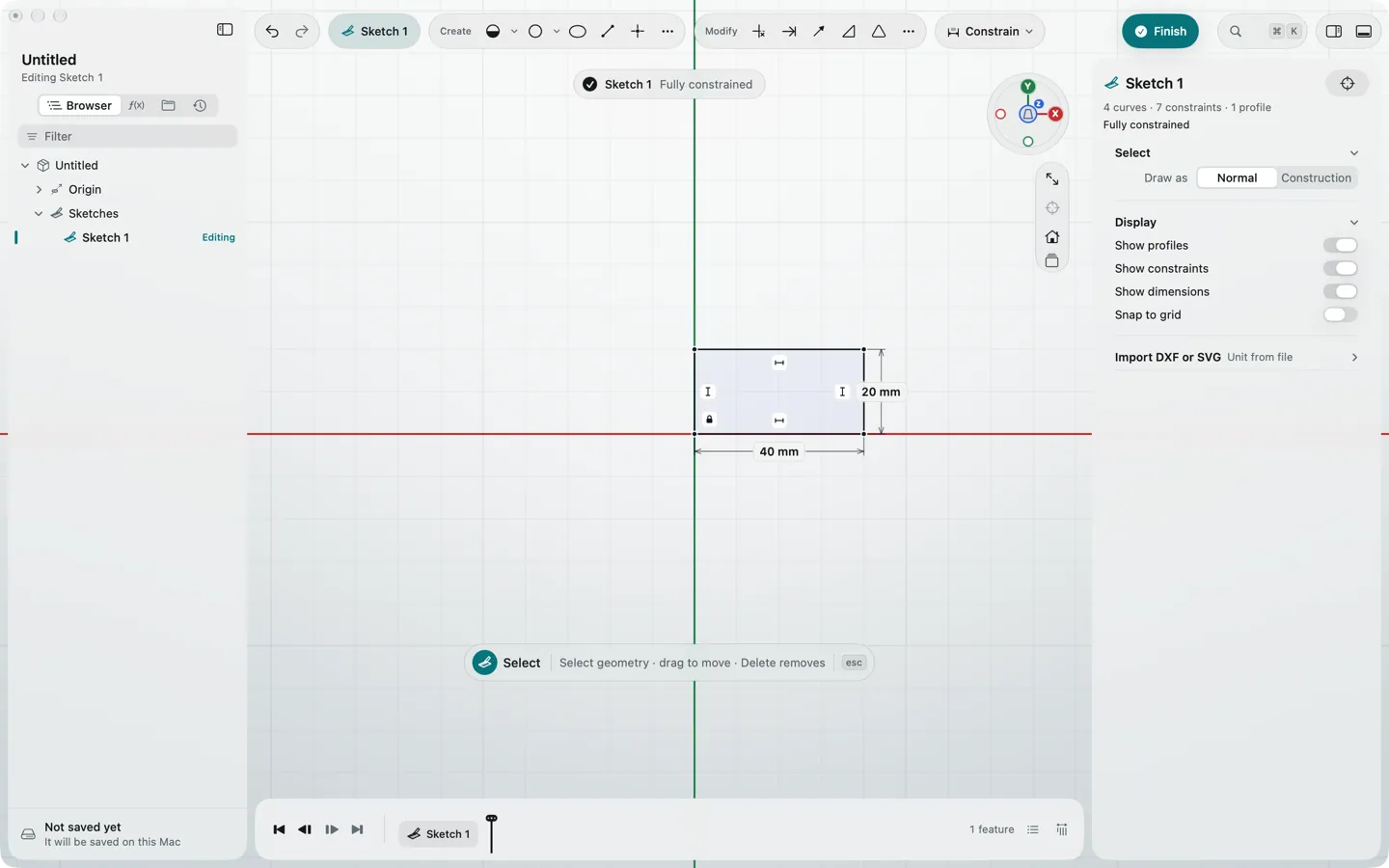
Under-constrained geometry is drawn in Layout Blue with a count of the degrees of freedom left, and Show animates which way it can still move. When constraints conflict, LocalCAD names the conflicting set in plain language. Students learn design intent instead of fighting the solver.
01
Deploy the signed app with your usual Mac management tools. No licence server to set up.
02
Schools get a lab or site licence file to deploy alongside the app proposed.
03
Point the project library at a network share, a home folder or removable media.
Lab Macs need macOS 27 on Apple silicon for the current build. Drawings, which many courses grade, are new in the current build and not yet design-reviewed.
Join the waitlist and tell us about your course. We are planning curriculum material and teacher support for launch.